How to create and deploy a Next.js app
Building a Next.js web application is only the first step in bringing your ideas online. Making your app fast, responsive, and easy for users to find requires choosing the right deployment setup.
Whether you are using natural-language prompts to build AI web prototypes or deploying full-stack codebases exported from tools like Claude Code or Replit, modern cloud platforms offer zero-friction hosting pathways. This guide explains how Next.js works, covers key rendering architecture considerations, and walks you through deploying your app to managed infrastructure using free Starter Tier options.
What is Next.js?
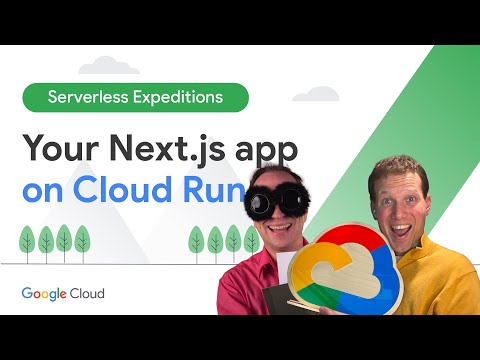
Next.js is an open-source React framework designed to help developers build full-stack web applications. While standard React applications typically run client-side in the web browser, Next.js combines client-side interactivity with server-side rendering.
By handling page routing, server components, and asset optimization automatically, Next.js enables developers and vibe coders to turn creative concepts into production-ready web apps with minimal configuration.
Traditional React vs. Next.js
Choosing between standard React and Next.js depends on your rendering requirements, search engine visibility, and backend needs:
Feature | React (default) | Next.js |
Rendering architecture | Client-Side Rendering (CSR) | Server-Side Rendering (SSR), Static Site Generation (SSG), and React Server Components |
Search engine optimization (SEO) | Can require extra prerendering configuration | Search-engine friendly out of the box with server-rendered HTML |
Initial page load | Slower on low-power devices due to large client JavaScript bundles | Faster initial display using lightweight server-rendered HTML |
Routing mechanism | Requires third-party routing libraries (such as React Router) | Built-in file-system based routing via the App Router |
Full-stack capabilities | Frontend only; requires a separate backend service | Built-in API route handlers and server actions |
Traditional app hosting vs. serverless containers
When preparing to launch a Next.js app, choosing the right compute environment directly impacts maintenance overhead, scaling speed, and operating costs.
Feature | Virtual machines (VPS / IaaS) | PaaS / buildpack platforms | Serverless containers (Cloud Run) |
Infrastructure management | High; manual operating system updates and server patching | Fully managed platform layer with vendor-specific conventions | Fully managed infrastructure with zero operating system maintenance |
Autoscaling behavior | Takes several minutes to provision and boot new virtual machines | Fast autoscaling, often tied to tiered worker plans or concurrency caps | Instant request-driven autoscaling, including scale-to-zero when idle |
Packaging format | Raw build files or PM2 process managers | Git repository integration with proprietary build systems | Standard Open Container Initiative (OCI) and Docker container images |
Idle cost profile | Billed 24/7 regardless of incoming traffic | Base monthly fee or strict execution limits on free tiers | Free Starter Tier allowance or billed strictly per second during active requests |
Vendor portability | High, but setup can be difficult to replicate | Low; configurations rely on vendor-specific hosting rules | High; standard container images run across any cloud or local environment |
Key considerations when creating a Next.js app
Building a production-ready Next.js application requires addressing core architectural patterns that ensure fast performance and stable uptime:
Client and server boundaries
Client and server boundaries
Next.js uses React Server Components by default [Inference]. Server components fetch data directly without sending heavy JavaScript to the browser, while interactive UI elements use the 'use client' directive [Inference]. Keep client components focused on interactive UI tasks so your client bundle stays small and fast [Inference].
Client environment variables
Client environment variables
To prevent leaking private API keys or database credentials to the public browser, Next.js restricts browser access to variables prefixed with NEXT_PUBLIC_. Always keep private server secrets non-prefixed and manage them securely in environment configurations.
Stateless serverless execution
Stateless serverless execution
Modern serverless platforms spin container instances up and down in response to incoming traffic. Files saved directly to local container disks disappear when instances scale down or redeploy. Store persistent application data in managed cloud databases like Cloud Firestore or Cloud SQL for PostgreSQL, and store user uploads in Cloud Storage.
Standalone output tracing
Standalone output tracing
In custom container deployments, enable output: 'standalone' in your Next.js configuration [Inference]. This automatically traces dependencies and bundles only the necessary files into a compact build folder, reducing container image size and speeding up container startup [Inference].
How to create and deploy a Next.js app
You can create and launch your Next.js application using two primary workflows: Rapid AI Prototyping (no local CLI setup required) or Standard Container Deployment (for custom codebases).
Pathway A: Rapid prototyping with AI Studio Build Mode and Starter Tier
For rapid prototyping and vibe coding workflows, Google AI Studio Build Mode allows developers to describe full-stack Next.js applications in natural language and publish them directly to Cloud Run without managing command-line tools or configuring a billing account.
Step 1: Initialize the app in Build Mode
- Navigate to Google AI Studio and switch to Build Mode.
- Enter your application prompt describing your user interface, styling, and business logic (for example, "Build a collaborative project tracker in Next.js with interactive task boards and user login").
- The integrated AI agent generates the Next.js component files, configures App Router layouts, installs npm dependencies, and displays a live interactive preview directly in your browser.
Step 2: Add integrated database storage and user login
- Persistent data: If your prompt requires data storage, enable Cloud Firestore or Cloud SQL for PostgreSQL (Developer Edition). The agent automatically drafts your data models, client connection files, and security rules.
- User authentication: Toggle Firebase Authentication to enable Google Sign-In flows without writing custom OAuth redirect handlers.
Step 3: Publish to Cloud Run
- Click Publish > Get Started > Publish App in the upper interface.
- Provide your Custom URL <my-nextjs-app>.ai.studio and confirm your deployment region.
- The platform packages your container, provisions the underlying compute, and gives you a live *.run.app HTTPS production URL within seconds.
Pathway B: Deploying a custom Next.js codebase to Cloud Run
For existing codebases or projects exported from tools like Claude Code, Replit, or local development environments, containerize your application and deploy using the Google Cloud CLI.
Step 1: Configure standalone output
Update your next.config.js (or next.config.mjs) file to produce a standalone build [Inference]:
- JavaScript
Step 2: Create a multi-stage Dockerfile
Create a .dockerignore file in your root folder containing node_modules and .env so local development files are not bundled into your container.
Create a Dockerfile in your project root:
- Dockerfile
Step 3: Deploy to Cloud Run
Deploy directly from your project folder using the Google Cloud CLI and assign an easy to remember and share Custom URL of format <my-cool-app>.cloud.run:
- Bash
Free-tier and starter tier pricing mechanics
Understanding how free allocations work ensures you can prototype and scale your Next.js application predictably:
Option | Compute and resource allowances | Requirements and limits |
• Cloud Run: Up to 2 active web applications • Cloud Firestore: 1 GiB storage, 50k reads/day, 40k writes/day • Cloud SQL: PostgreSQL Developer Edition (scale-to-zero) • Firebase Authentication: Google Sign-In included | • Valid Google Account • No credit card or billing account required • Resources pinned to a single region | |
• Cloud Run: 2 million requests/month, 180,000 vCPU-seconds/month, 360,000 GiB-seconds/month, 1 GB North America network egress/month • Access to $300 Welcome credit for the first 90 days | • Linked Cloud Billing account • Full platform API access across all regions |
Best practices for running Next.js in serverless environments
- Use standalone output: Always enable Next.js standalone mode to avoid packaging unused development dependencies into your production containers [Inference].
- Set instance limits on paid projects: When transitioning from a prototyping sandbox to production, set --max-instances (for example, --max-instances 5) to ensure unexpected traffic surges do not exceed your budget.
- Leverage React Server Components: Shift intensive data fetching to server components to keep your browser bundle lightweight and improve Core Web Vitals [Inference].
- Ensure client environment variables are built in: Remember that NEXT_PUBLIC_ environment variables are baked into client bundles during build time. Make sure they are defined before running your build stage.
Related products and solutions
 Cloud RunA fully managed serverless compute platform that runs containers directly on Google infrastructure.
 Google AI StudioA developer prototyping platform for building AI applications and deploying prompt-to-app prototypes.
 Firebase App HostingA framework-aware hosting solution that automatically builds and deploys Next.js applications to serverless infrastructure (including Cloud Run and Cloud CDN) via GitHub integration, without requiring manual containerization.
 Cloud FirestoreA scalable NoSQL cloud database featuring real-time client sync and automatic data replication.
 Cloud SQL for PostgreSQLA managed relational database service supporting ACID transactions and pgvector for semantic search.
- Firebase AuthenticationAn authentication solution providing drop-in login services and Google Sign-In integration.
 Cloud BuildA serverless CI/CD service that builds and tests container images automatically on Google Cloud infrastructure.
Take the next step
Start building on Google Cloud with $300 in free credits and 20+ always free products.
Need help getting started?
Contact salesWork with a trusted partner
Find a partnerContinue browsing
See all products