What is an agent harness?
Last updated: 10/15/2026
An agent harness—also commonly referred to as an agentic harness— is a software environment that surrounds an artificial intelligence model, giving it the ability to interact with outside tools, remember past interactions, and execute multi-step tasks. While a standard language model can only generate text, an agent harness turns that text generation into action by providing the infrastructure the model needs to safely operate within a larger system.
When an AI agent gives an answer or takes an action, the harness is the underlying framework that manages the data retrieval, executes the tool, and feeds the result back to the model.
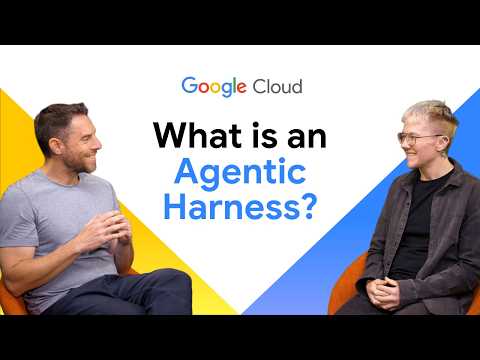
Agent harness defined
An agent harness is the runtime software infrastructure and control layer that wraps around an AI model to turn it into a reliable, autonomous agent. It manages the execution loop, state persistence, tool invocation, memory, and safety guardrails required for an agent to complete complex, multi-step tasks.
While the underlying language model provides reasoning and decision-making capabilities, the agent harness acts as the operating environment that connects those decisions to real-world actions—handling context windows, error recovery, human-in-the-loop approvals, and observability across long-running workflows.
How does an agent harness work?
Language models can't browse the web, query databases, or send emails on their own. They require an external system to catch their text outputs, recognize them as commands, execute those commands, and generally determine when a task is considered complete. An agentic harness performs these functions through a few key mechanisms.
Connecting models to tools
The harness handles the translation between the model and external application programming interfaces (APIs). AI agents often struggle to use traditional APIs because they lack the dynamic context models need to reason effectively. To solve this, many modern agent harnesses use the Model Context Protocol (MCP). MCP standardizes how AI agents connect to data sources and external tools, making it much easier to swap out components without rewriting your entire application.
Managing state and memory
Models don't inherently remember what happened two steps ago in a complex workflow. The harness maintains the context of the conversation and the state of the task. It tracks what tools the agent already used, what the results of those tool calls were, and what the user originally asked, so the agent can successfully plan its next move.
Providing guardrails
When an agent decides to take an action, the harness enforces security rules. It checks if the agent has the correct permissions to execute a specific API call, preventing the model from performing unauthorized actions or accessing restricted data.
Agent harness vs orchestration frameworks
Orchestration frameworks help developers build applications with language models by chaining together prompts and data sources. An agent harness is a specific type of deployment environment built explicitly for autonomous agents. While an orchestration framework focuses on the developer experience of writing the code, the harness focuses on the runtime environment. It makes sure the agent can run continuously, monitor its own progress, and interact safely with external systems.
Frequently asked questions
What is the model context protocol (MCP)?
The model context protocol is an open standard that allows AI agents to securely connect to data sources and tools. It replaces custom API integrations with a universal protocol, making it easier for an agent harness to manage external connections and retrieve data.
Do I need an agent harness for a basic chatbot?
If your chatbot only answers questions based on a fixed prompt or its internal training data, you don't need a full agent harness. However, if you want your chatbot to browse the internet, query a live database, execute complex multi-step workflows, or book appointments on behalf of a user, an agent harness provides the necessary infrastructure to execute those actions safely.
How does an agent harness keep data secure?
An agent harness acts as a security checkpoint between the language model and your external systems. It enforces permission boundaries, ensuring the model can only call authorized APIs and access data that the user has permission to see. This prevents the model from accidentally leaking sensitive information or performing destructive actions.
Benefits of using an agent harness
Implementing an agentic harness provides several advantages for developers building autonomous AI systems:
Speed up development
Speed up development
An agentic harness provides pre-built connections to common tools and APIs, meaning developers spend less time writing integration code.
Improves reliability
Improves reliability
A harness gives the agent a structured way to handle API errors, timeouts, and unexpected data formats.
Increases visibility
Increases visibility
Because the harness manages all the inputs and outputs, it makes it easier to monitor the agent's actions for security, cost tracking, and performance tuning.
Simplifies testing
Simplifies testing
Developers can use the harness to run automated evaluations, testing how the agent behaves in simulated environments before releasing it to users.
How to set up an agent harness
Building an agent harness involves wrapping your language model in a script that manages its inputs, outputs, and tool executions. Here is a theoretical walkthrough of how a developer sets up this environment.
Step 1: Initialize the core loop
You start by creating a continuous reasoning loop. This loop accepts a user prompt, sends it to the language model, and waits for a response. The loop stays active until the model indicates that it has fully answered the user's request.
Step 2: Integrate tools using MCP
Instead of hardcoding individual API requests for every tool your agent might need, you implement an MCP server. You register your tools, such as a database query function or a weather API, within the protocol. When the model needs information, it generates a structured request. The harness intercepts this request, passes it through the MCP server to execute the tool, and retrieves the data.
Step 3: Manage the context window
You write logic that catches the tool's output and appends it to the running conversation history. This updated history is then fed back into the language model. This step is critical, as it allows the model to analyze the new data and decide if it needs to call another tool, or if it can formulate a final answer for the user.
Step 4: Deploy the agentic harness
Once the code is working locally, the final step is moving the agentic harness to a production environment where it can run continuously.
Deploying and scaling your agent operations
Deploying a lightweight harness is a great way to prototype and test open models, but transitioning to production requires infrastructure that can handle continuous operation, security, and scaling. For rapid prototyping, serverless container environments can offer a path to get agents live quickly with minimal overhead.
However, as agentic workloads become more complex or handle sensitive enterprise data, deployment requirements shift toward robust orchestration platforms. These environments provide advanced monitoring, tracing, and evaluation tools needed to manage complex agents effectively, ensuring compliance, data governance, and operational stability.
Common agent harness use cases in Google Cloud
An agentic harness serves as the runtime and security layer that connects foundation models to Google Cloud services and tools. By managing state, permissions, and tool execution, harnesses enable several key enterprise patterns:
Automated data retrieval & analytics
Automated data retrieval & analytics
Serverless agent microservices
Serverless agent microservices
Developers can deploy agent runtimes as containerized microservices on Cloud Run. The harness manages incoming requests, coordinates asynchronous API calls, and runs tool workflows without requiring persistent, idle infrastructure.
Enterprise grounding & secure context retrieval
Enterprise grounding & secure context retrieval
When grounding agents in enterprise knowledge across Cloud Storage or Agent Search, the harness enforces granular Identity and Access Management (IAM) controls, ensuring the agent only retrieves documents the user is authorized to access.
Operational DevOps & incident diagnostics
Operational DevOps & incident diagnostics
Harnesses can execute multi-step diagnostic workflows across Google Cloud operations tools (Cloud Logging, Cloud Monitoring). An agent can safely triage error spikes, analyze log traces, and suggest remediation steps within restricted operational guardrails.
Multi-agent orchestration & workflow pipelines
Multi-agent orchestration & workflow pipelines
Utilizing event streams like Pub/Sub or application integration, a harness manages state handoffs and communication between specialized agents collaborating on complex enterprise business tasks.
Related Google Cloud products & services
 Cloud RunAutomatically deploy your agent harness directly to serverless infrastructure. This deployment path allows developers to get their agents live quickly. Through the Google Cloud Starter Tier, eligible developers can even deploy applications without entering billing information, removing the friction typically associated with setting up cloud infrastructure.
 Google Antigravity in Gemini platformUse Google agent-first development stack to quickly build, scale, and orchestrate applications and agents. The platform includes a desktop app, a CLI, and an SDK that all share the same agent harness. If your organization uses Google Cloud, Antigravity in Gemini platform plugs directly into the Gemini platform to provide enterprise-grade data governance, single sign-on, and audit logs.
 Gemini platformA unified platform (formerly known as Vertex AI) designed to build, scale, govern, and optimize enterprise-grade AI agents and model-based solutions. For teams looking to scale agent workloads into enterprise production, this platform provides the comprehensive tools needed to manage complex agentic systems securely and effectively.
Take the next step
Start building on Google Cloud with $300 in free credits and 20+ always free products.
Need help getting started?
Contact salesWork with a trusted partner
Find a partnerContinue browsing
See all products