Collaborate with AI to accelerate everyday tasks
Collaborate with AI to accelerate everyday tasks
Securely connect to Microsoft 365, Google Workspace, HubSpot, Notion, and more
Includes Gemini Notebook, pre-built Google agents, and more
Build custom agents with no-code Workflow Builder
Automate multi-step, multi-app workflows in one place
Try the latest Google models like Nano Banana and Gemini 3
Built-in security safeguards block harmful content and prevent data leakage


How lean teams use Gemini
How lean teams use Gemini
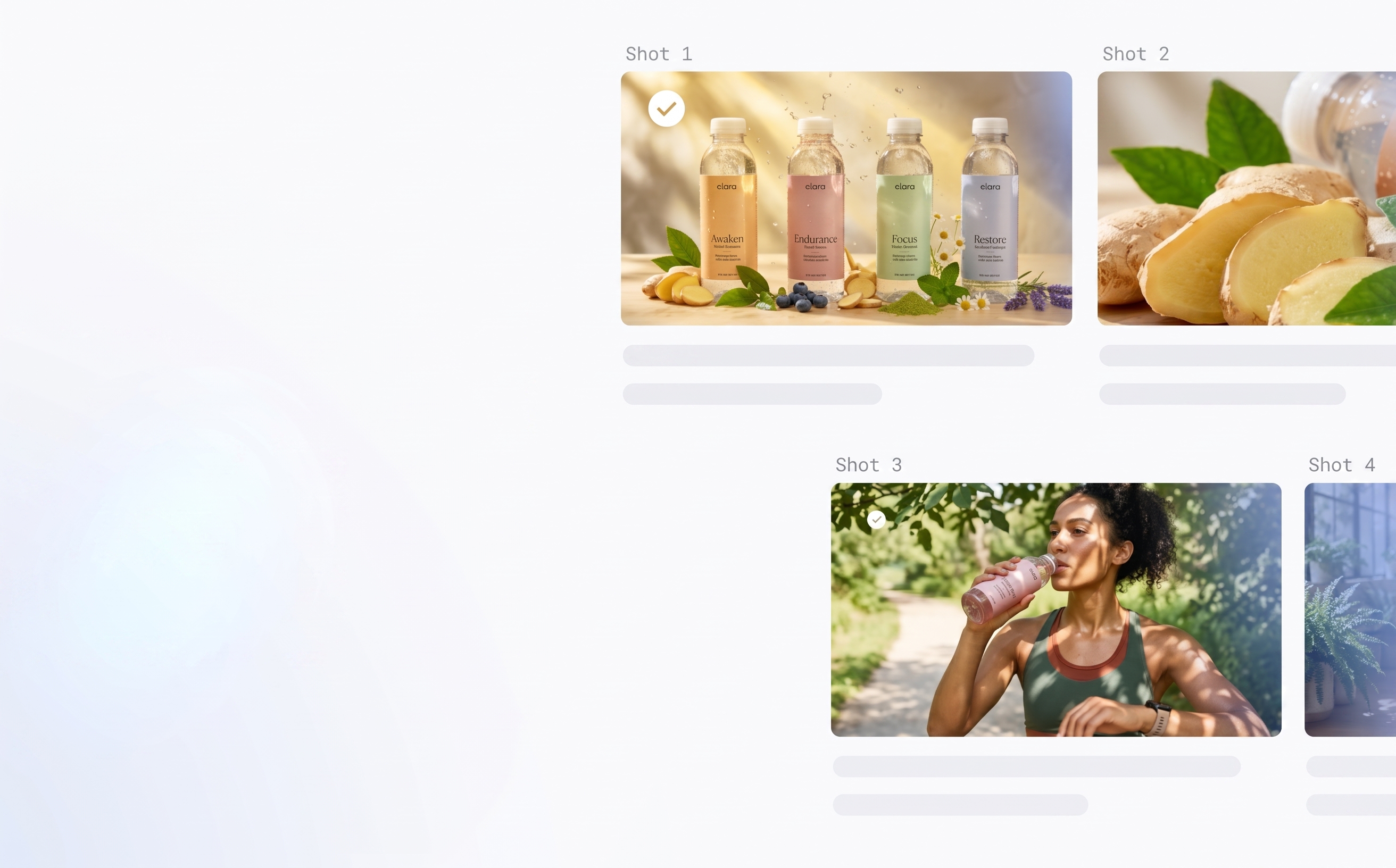
Launch marketing campaigns complete with creative assets
Use Nano Banana to generate high quality creative assets grounded in your product imagery and brand guidelines.
Example prompt: Create a week-long social media plan for our GTM health drinks launch. Generate post copy with image suggestions for Instagram based on our brand guidelines. Suggest posting times and responses to comments.
Onboard new employees even if you don’t have HR
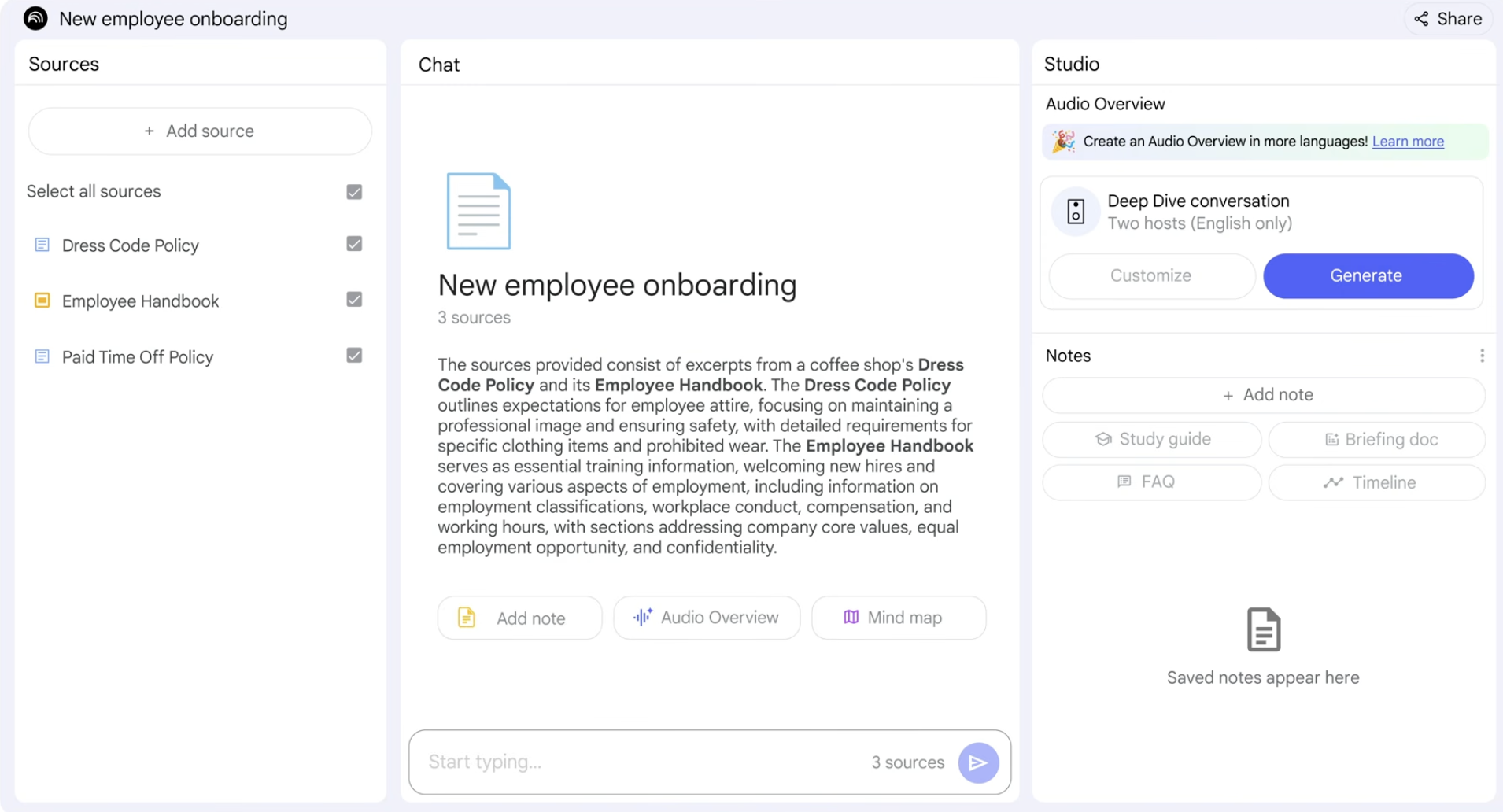
Give your employees consistent resources and onboard new hires with Gemini Notebook—included in Gemini Enterprise app.
Example prompt: Create an engaging onboarding for new hires. Use an upbeat, welcoming tone that helps them find important resources like dress code and pay days.
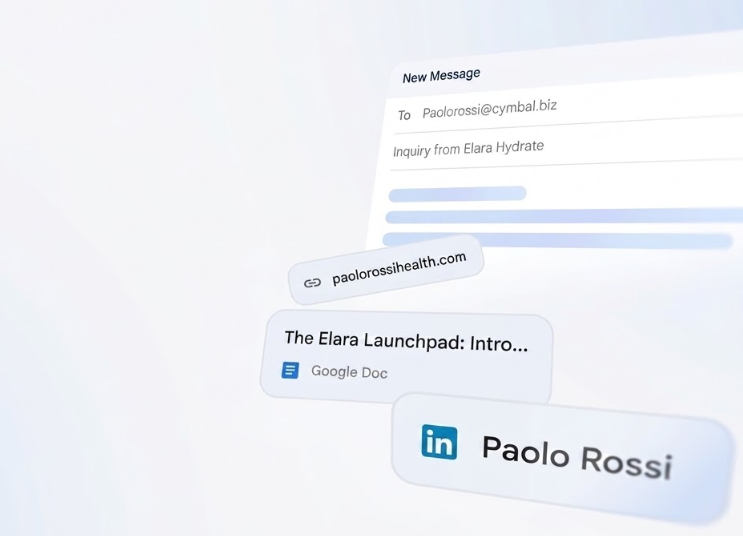
Create personalized sales outreach in minutes
Draft and manage customer comms using context from Google Search and connected apps like Atlassian Confluence Cloud, Notion, and Slack.
Example prompt: Review the attached blog post and prospect company links to draft a personalized outreach email with a clear CTA to set a meeting. Connect their recent health foods launch to our new product offering.
Build insightful, data-backed financial reports
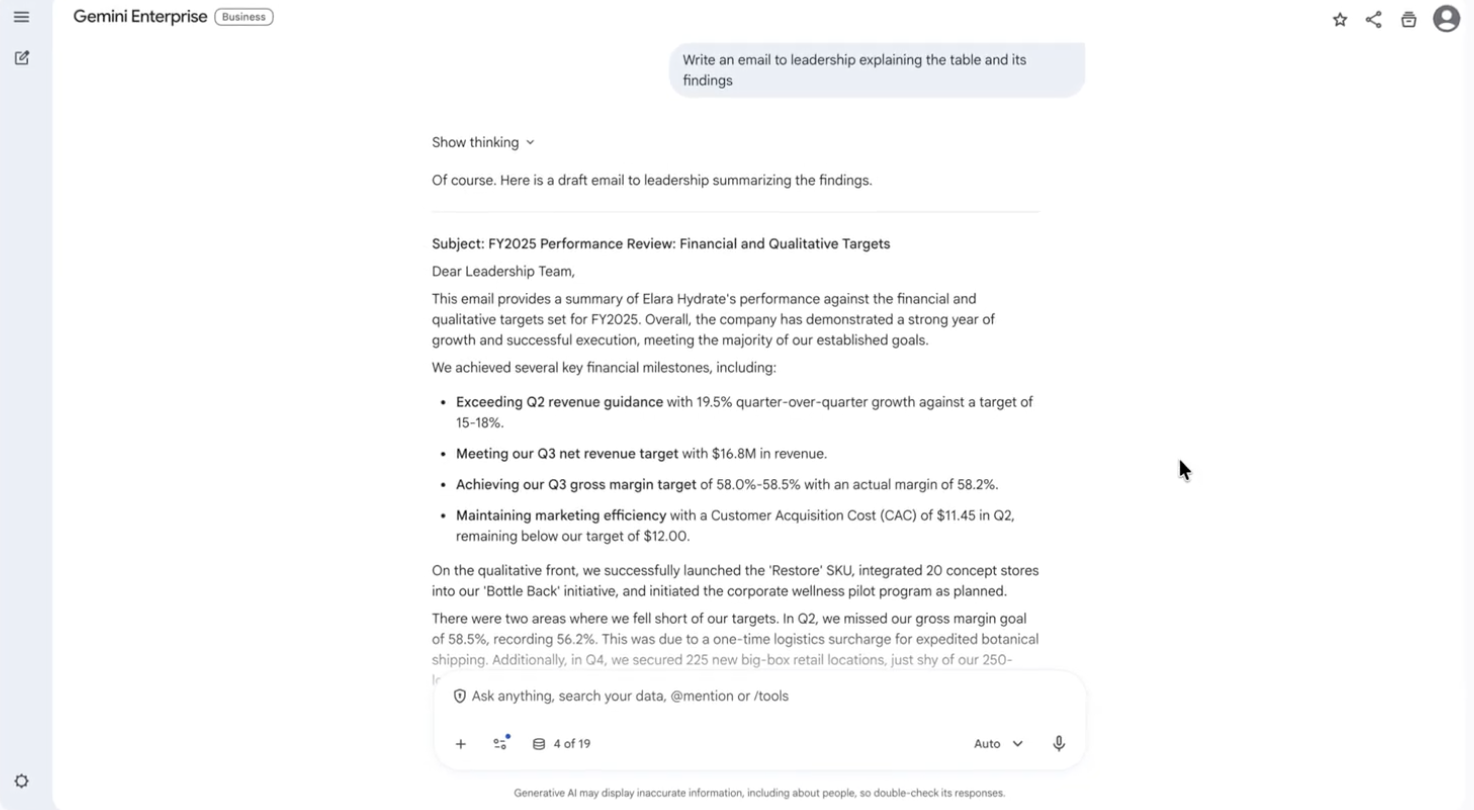
Generate an accurate health of the business report using earnings and quarterly targets data with a simple prompt.
Example prompt: Identify the financial guidance and qualitative targets in attached report/docs to determine if we met our goals. Create a summarized table I can share with leadership.
Track inventory, expedite data entry, and automate purchase orders
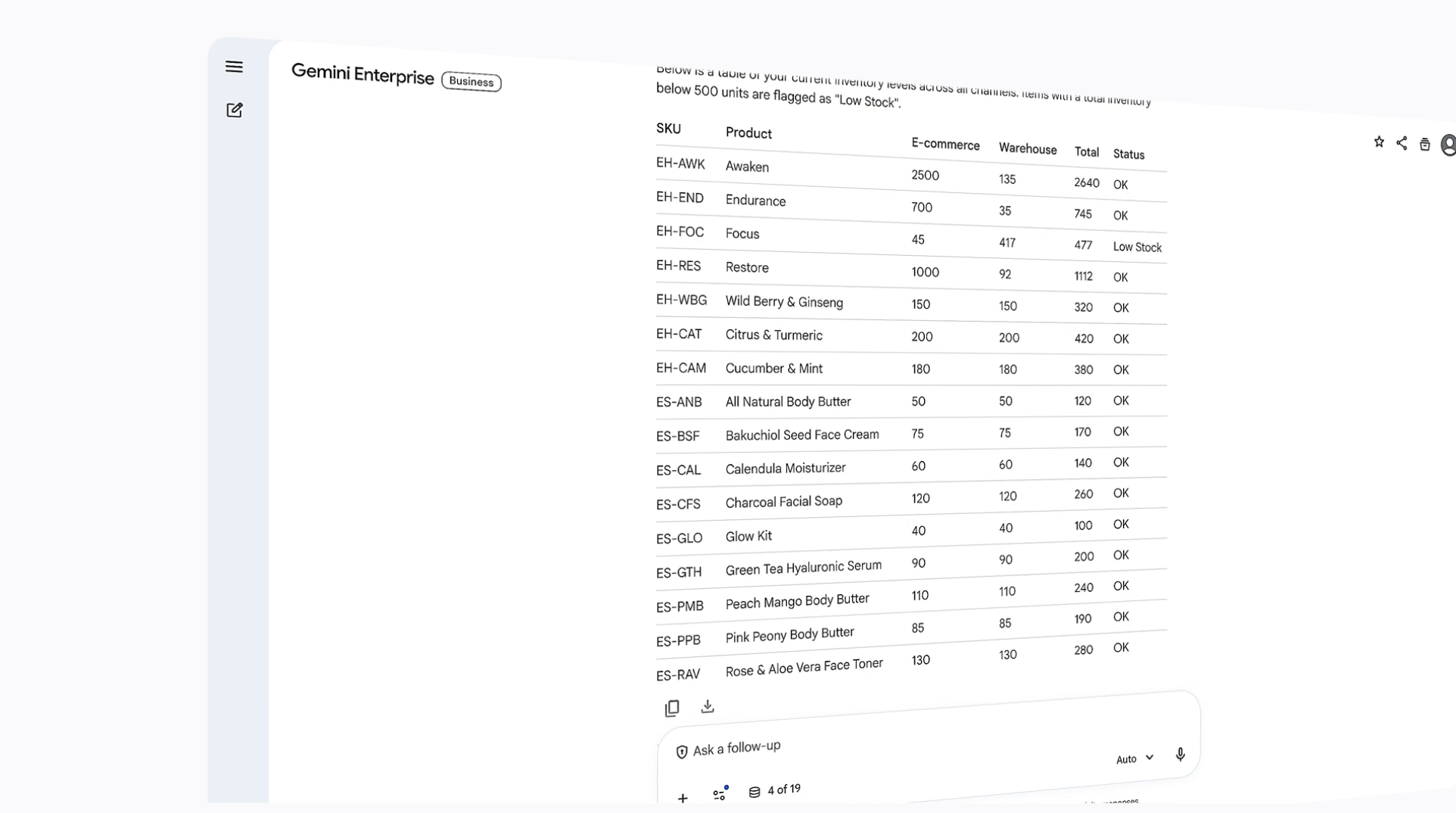
Consolidate data across Microsoft OneDrive, Google Drive, Box, and more to get a complete view of your inventory and restock needs.
Example prompt: Consolidate and analyze our inventory data across e-commerce and popup shops, identifying our 5 best sellers this week. Create a table showing inventory from each channel, flagging any items below 500 units.

Content generation
Launch marketing campaigns complete with creative assets
Use Nano Banana to generate high quality creative assets grounded in your product imagery and brand guidelines.
Example prompt: Create a week-long social media plan for our GTM health drinks launch. Generate post copy with image suggestions for Instagram based on our brand guidelines. Suggest posting times and responses to comments.

Admin tasks
Onboard new employees even if you don’t have HR
Give your employees consistent resources and onboard new hires with Gemini Notebook—included in Gemini Enterprise app.
Example prompt: Create an engaging onboarding for new hires. Use an upbeat, welcoming tone that helps them find important resources like dress code and pay days.

Customer comms
Create personalized sales outreach in minutes
Draft and manage customer comms using context from Google Search and connected apps like Atlassian Confluence Cloud, Notion, and Slack.
Example prompt: Review the attached blog post and prospect company links to draft a personalized outreach email with a clear CTA to set a meeting. Connect their recent health foods launch to our new product offering.

Financial reporting
Build insightful, data-backed financial reports
Generate an accurate health of the business report using earnings and quarterly targets data with a simple prompt.
Example prompt: Identify the financial guidance and qualitative targets in attached report/docs to determine if we met our goals. Create a summarized table I can share with leadership.

Inventory management
Track inventory, expedite data entry, and automate purchase orders
Consolidate data across Microsoft OneDrive, Google Drive, Box, and more to get a complete view of your inventory and restock needs.
Example prompt: Consolidate and analyze our inventory data across e-commerce and popup shops, identifying our 5 best sellers this week. Create a table showing inventory from each channel, flagging any items below 500 units.
FAQ
What’s included in Gemini Enterprise Business edition?
- Access to select business connectors
- Connect to common business apps like Microsoft 365, Google Workspace, Jira, GitHub, HubSpot, Slack, and more.
- Basic admin and governance controls
- Admins can add or remove team members, control team access to connectors, enable or disable chat sharing, and manage billing. Invited users can only connect their own data if an admin has allowed access to that specific connector.
- Gemini Notebook
- Best for creating secure, source-backed workspaces that can be shared and searched across your team.
- Pre built agents (Deep Research)
- Best for automating research-based tasks like brainstorming, forecasting, planning, and understanding depth of market in a comprehensive, source-cited report.
- Workflow Builder
- Best for building custom, no-code agents using natural language to automate repeatable tasks.
How is my data secured?
Gemini Enterprise Business edition is built on Google’s secure-by-design infrastructure with built-in protections like Model Armor, giving you the peace of mind to deploy AI agents across your organization confidently.
- You own your data, not Google
- Your data—including prompts, outputs, and training—isn’t used to train Google models or models for any other customer
- Google never sells customer data to third parties
- Google doesn’t use customer data for advertising
How can AI tools help my small business?
The following are common examples of AI tools available in Gemini Enterprise Business edition that are designed to help small businesses.
Deep Research agent
Designed for complex, multi-step investigative tasks that require planning, extensive multi-source web or internal data searching, the prebuilt Deep Research agent is perfect for brainstorming, forecasting, planning, and understanding depth of market. Think of Deep Research agent as your “analyst-in-a-box”, who produces a comprehensive cited report rather than an instant chat response.
Canvas
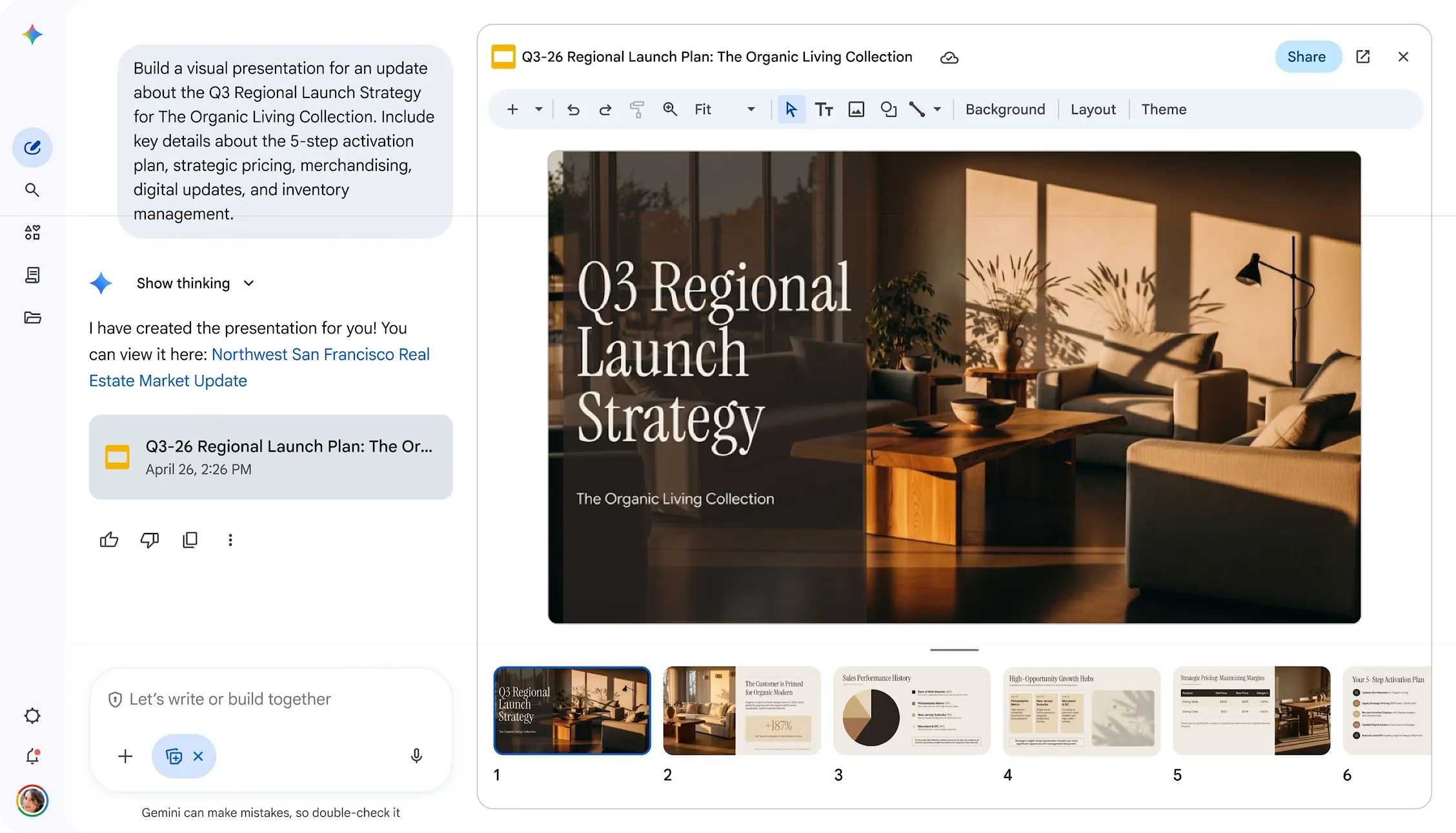
Canvas is a dedicated, interactive side-by-side workspace that lets teams generate, co-edit, and format documents and slide presentations directly within the chat interface without tab-switching. Draft emails, create presentations, edit documents in Microsoft 365 and Google Workspace formats.
Gemini Notebook
With Gemini Notebook, teams can create isolated, secure, source-grounded workspaces ("notebooks") from up to 300 internal documents, including PDFs, Microsoft Word files, Google Docs, web URLs, and more. Additionally, these sharable notebooks become a searchable team knowledge base as resources are added.
How can AI help my small team?
- Generate insights grounded in your company data
- Securely connect to multiple business apps, including Microsoft 365, Google Workspace, and more
- Scale small or lean teams by automating repeatable workflows
- Generate content, imagery, etc. for marketing campaigns, admin tasks, sales emails, and more
What’s the best way to get started with AI tools?
Try Gemini Enterprise Business edition at no cost for 30 days: Great for individuals, small businesses, and teams up to 300—no IT setup needed.
Looking for advanced features and enterprise-grade compliance? Contact sales about Gemini Enterprise Standard or Plus editions.
What are best practices for writing effective prompts?
- Be specific and contextual: More detail is usually better. Use names, dates, project titles, SKU numbers, case IDs, policy names, etc.
- Define the persona: Tell Gemini who it should act as.
- Define the output format: Tell Gemini in what format you expect the output to be shared, and also what formats to avoid.
- Use action verbs: Start with what you want Gemini to do.
- Iterate and refine: If the first response isn't perfect, ask follow-up questions or rephrase your prompt.
For more tips, visit the Gemini prompt guide.