Build intelligent employee onboarding with Gemini Enterprise
Wei Yih Yap
Generative AI Field Solutions Architect
Joey Wong
Enterprise AI Integration, Field Product Manager
Employee onboarding is rarely a linear process.
It’s a complex web of dependencies that vary significantly based on an individual’s specific profile. For example, even a simple request for a laptop requires the system to cross-reference the employee’s role, function, and seniority level to determine whether they need a high-powered workstation or a standard mobile device. Similarly, requesting a building pass involves more than just a name tag; it requires integrating data regarding the employee’s assigned office location, desk neighborhood, and the specific system requirements of the underlying access management system.
In this article, we show you how developers use the Agent Development Kit (ADK), Agent Engine, and Application Integration to build custom agents that connect into your enterprise systems (such as ITSM, ERP, and CRM). Once built, these agents are published to the Gemini Enterprise agent gallery, where employees can easily access and interact with them.
The result is a more personal employee onboarding experience. Read on to learn how to connect conversational AI with your essential enterprise systems.
First, what is an agent powered application integration workflow?

Figure 1: ADK Agent architecture with tools
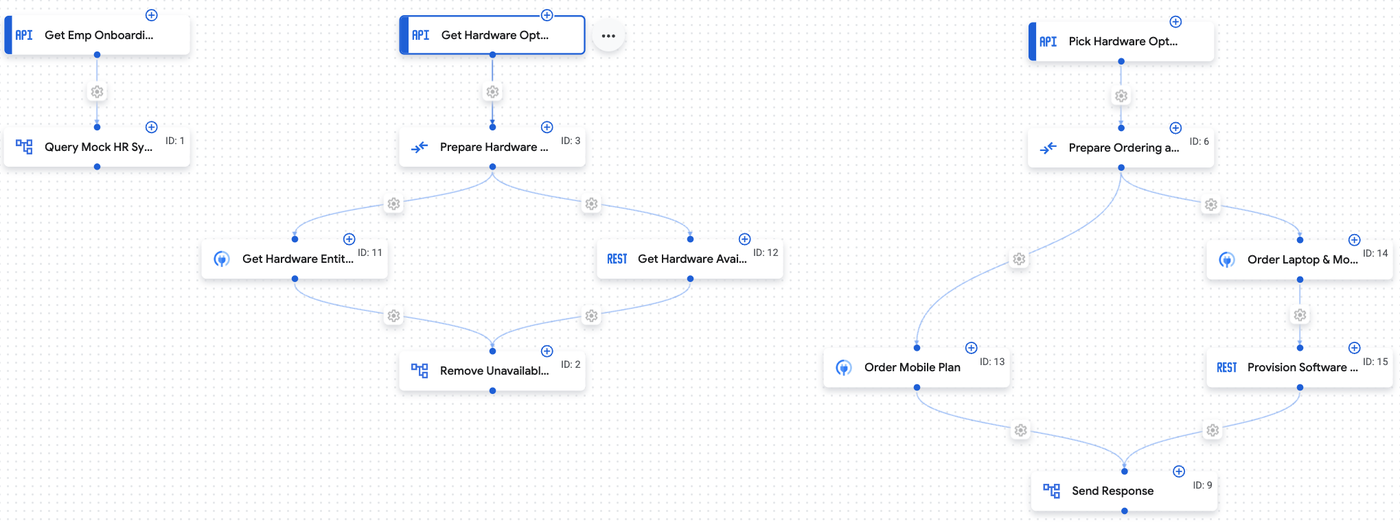
Figure 2: Low-code tools for agent with application Integration
A grounded agentic workflow is a modern architectural pattern. It bridges the gap between the creative, probabilistic nature of large language models (LLMs) and the rigid, deterministic nature of business logic. It consists of three critical components:
Gemini Enterprise custom agent: This front-end interface understands natural language, gathers information through dialogue, and provides a user-friendly experience. Built using the Agent Development Kit (ADK) and deployed to Agent Engine, this multi-agent architecture acts as an intelligent assistant with precision and accuracy.
Automation and connectivity layer: This middleware handles complex data transformations, authentication, and communication with backend systems. Application Integration provides a visual, low-code environment to build deterministic automation processes using out-of-the-box connectors.
Enterprise backend system: This is the system of record where business transactions are executed—in this case, the corporate IT Service Management (ITSM) platform. When these components work together, the agent understands user intent, the integration layer routes data correctly, and the backend system processes the transaction. The user experiences a simple conversation, while complex enterprise workflows execute in the background.
Use case: Laptop request for new employees
Let's explore a practical scenario that every organization faces:
The problem: Sarah from HR needs to request a laptop for a new software engineer joining next Monday. The traditional process requires her to:
-
Log into the ITSM portal
-
Read internal website to find out how to raise a laptop request
-
Navigate multiple pages to find the hardware request form
-
Search for meaning of different fields, the right team to raise to
-
Finally submit the form
The solution: With our agent-powered workflow, Sarah can simply express her intent, and accept the default configuration:
What happens behind the scenes?
-
Agent processing: Gemini understood the intent, gathered required information through conversation, and determined the appropriate laptop configuration based on job role
-
Tool calling: Agent triggers Application Integration workflow with structured data
-
Integration workflow: Application Integration received the request, transformed data to ITSM format, handled authentication, and created the service request
-
ITSM transaction: Created a catalog service request item with all necessary fields, assigned to appropriate fulfillment team, and triggered approval workflow
-
Response flow: ITSM returned request details, Application Integration formatted the response, and Agent presented information in user-friendly format
Application integration
For demonstration purposes, we created a simple workflow to simulate a laptop selection process which needed to follow specific business rules/requirements, such as checking the hardware entitlements of the employee based on their assigned role, checking hardware availability and finally filtering out unavailable options using low code/no code development practices.
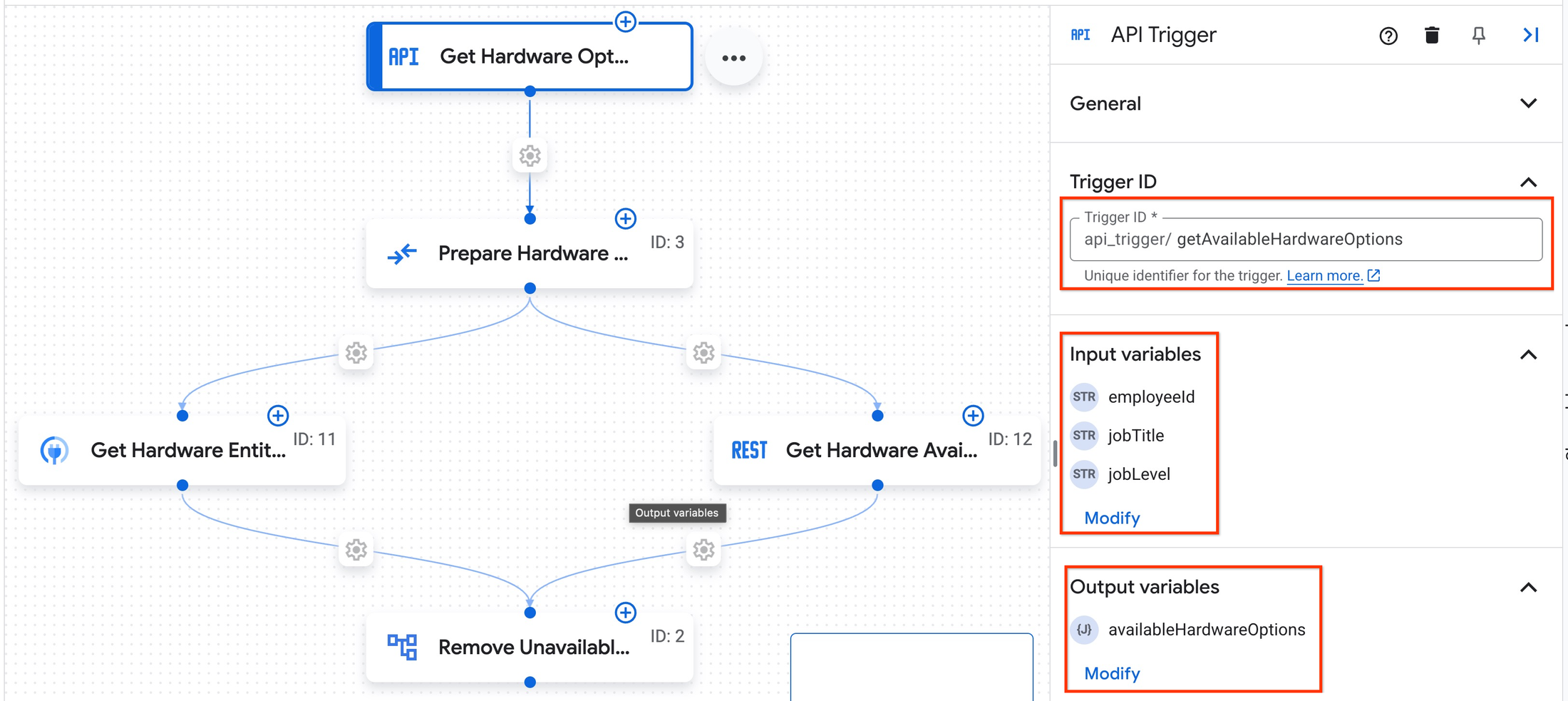
Figure 3: Low-code tool development using Application Integration
This workflow was then published and made available as an API endpoint which was configured to be used as a tool in ADK code (see below).
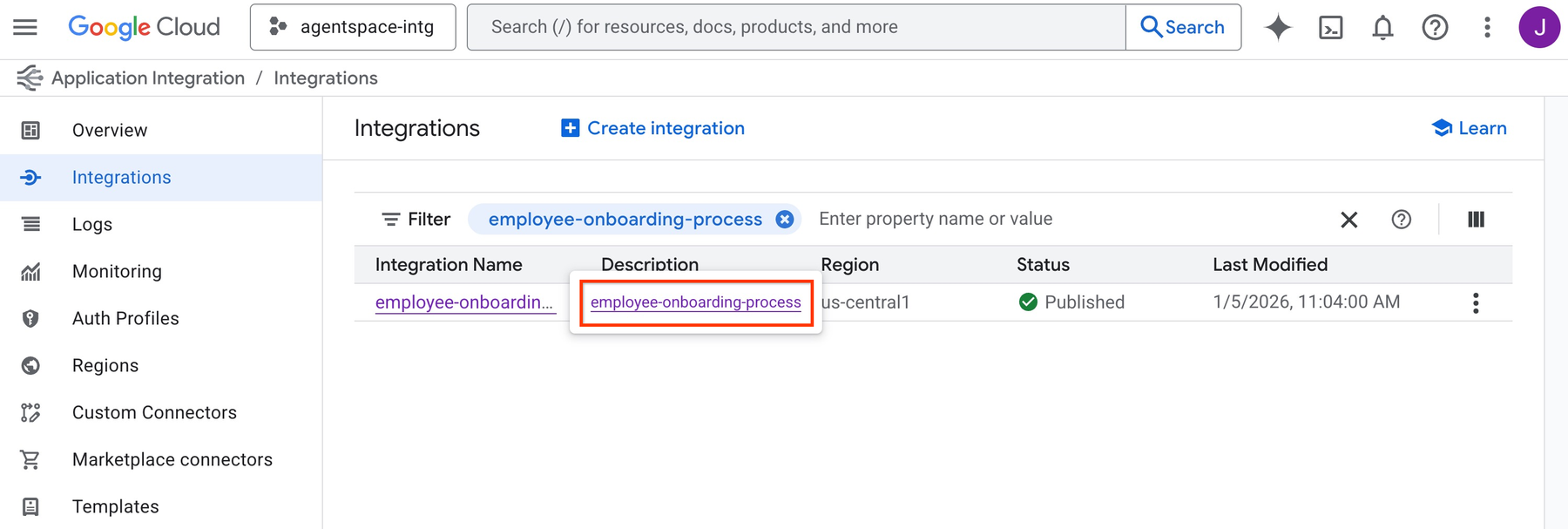
Figure 4: Low-code tool published and ready for agent consumption
Agent Development Kit (ADK)
In the ADK agent code we can finally configure the Application Integration Toolset, specifying the integration and triggers.
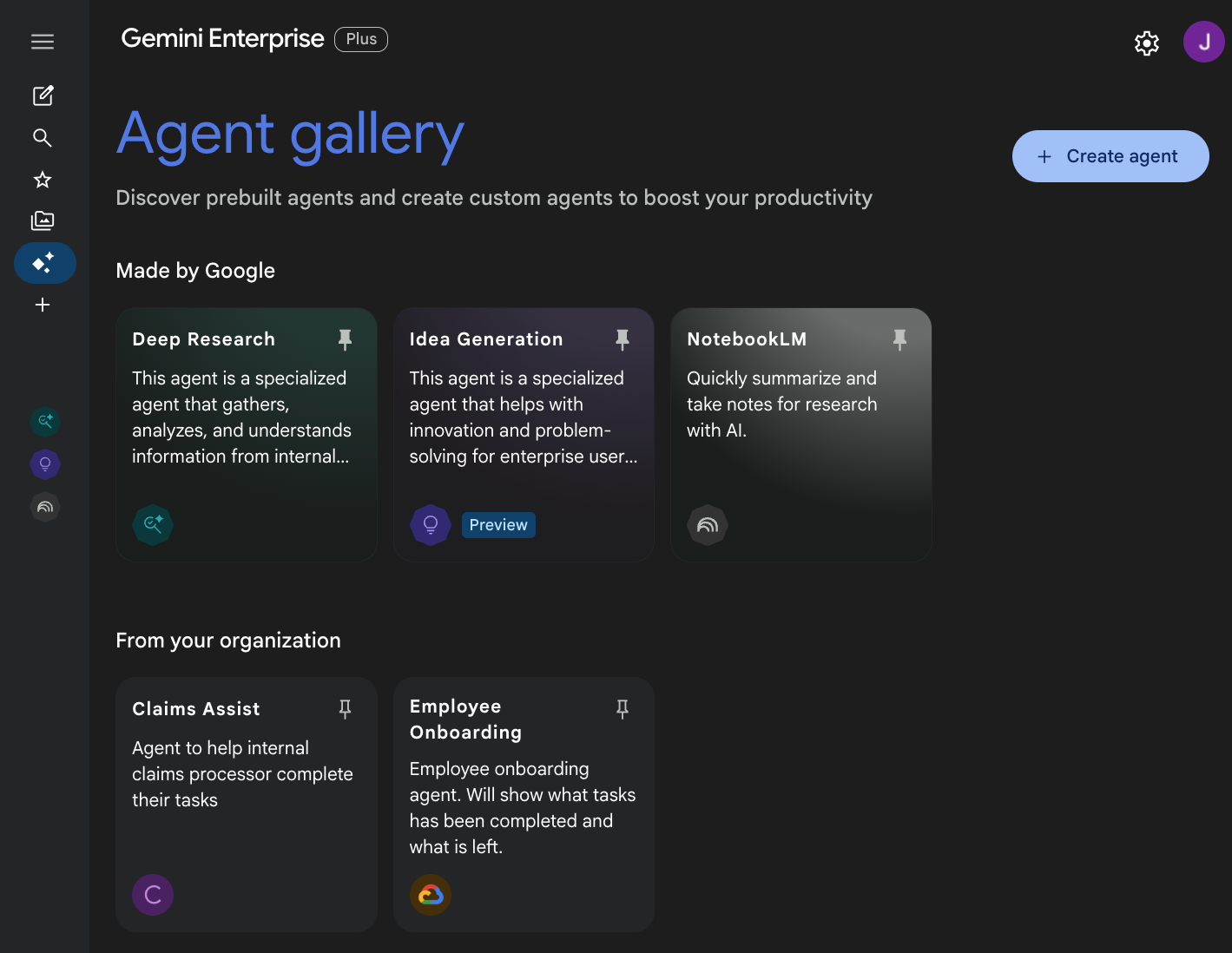
Gemini Enterprise
Gemini Enterprise admins can then register ADK agents hosted on Vertex AI Agent Engine so they can be made available to users on the Gemini Enterprise web app.
Get started
Get started with your own enterprise use case using the following resources: