Building Distributed AI Agents
Amit Maraj
AI Developer Relations Engineer
Let's be honest: building an AI agent that works once is easy. Building an AI agent that works reliably in production, integrated with your existing React or Node.js application? That's a whole different ball game.
(TL;DR: Want to jump straight to the code? Check out the Course Creator Agent Architecture on GitHub.)
We've all been there. You have a complex workflow—maybe it's researching a topic, generating content, and then grading it. You shove it all into one massive Python script or a giant prompt. It works on your machine, but the moment you try to hook it up to your sleek frontend, things get messy. Latency spikes, debugging becomes a nightmare, and scaling is impossible without duplicating the entire monolith.
But what if you didn't have to rewrite your entire application to accommodate AI? What if you could just... plug it in?
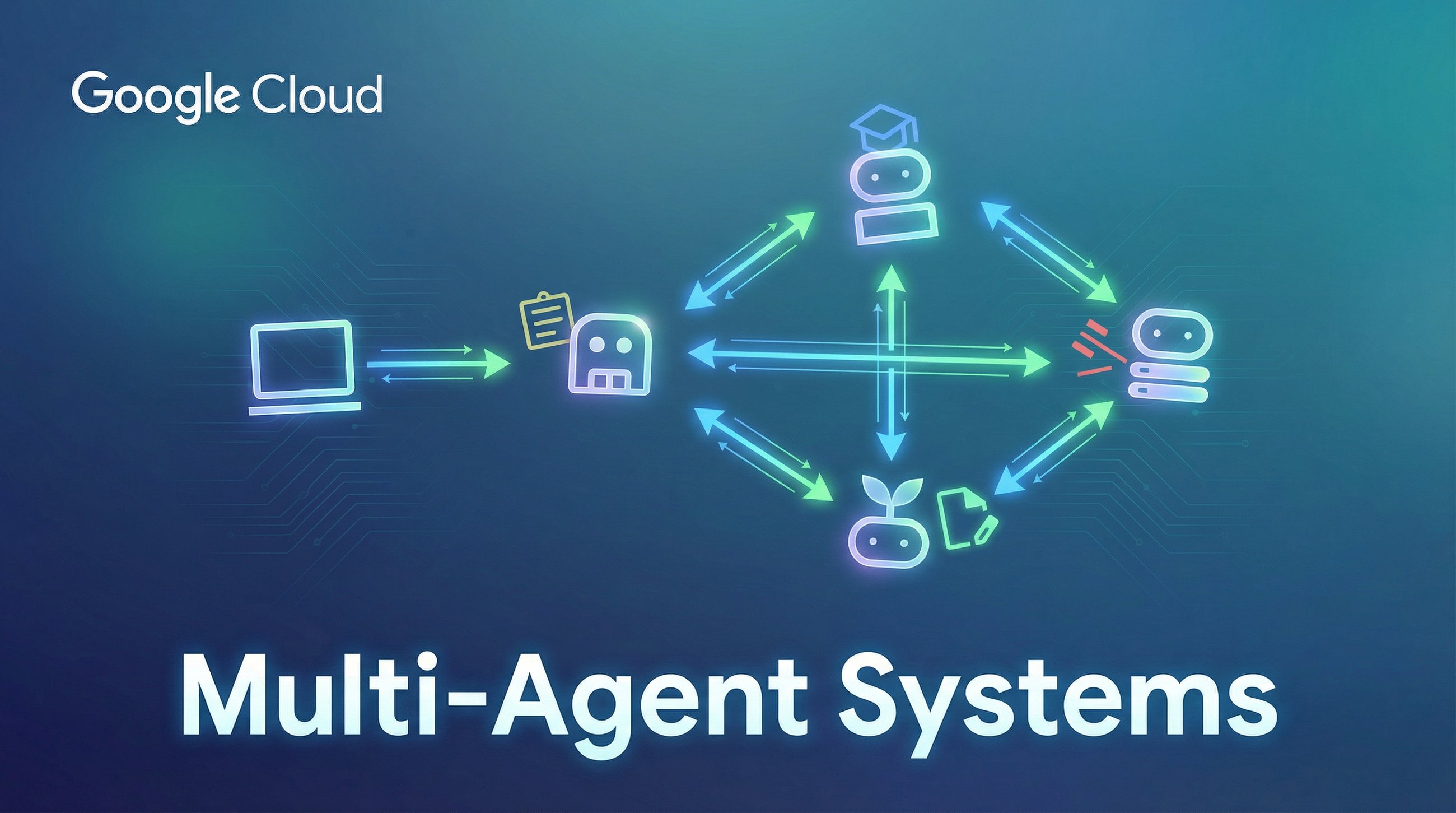
In this post, we're going to explore a better way: the orchestrator pattern. Instead of just one powerful agent that does everything, we'll build a team of specialized, distributed microservices. This approach lets you integrate powerful AI capabilities directly into your existing frontend applications without the headache of a monolithic rewrite.
We'll use Google's Agent Development Kit (ADK) to build the agents, the Agent-to-Agent (A2A) protocol to connect them and let them communicate with each other, and deploy them as scalable microservices on Cloud Run.
Why Distributed Agents? (And Why Your Frontend Team Will Love You)
Imagine you have a polished Next.js application. You want to add a "Course Creator" feature.
If you build a monolithic agent, your frontend has to wait for a single, long-running process to finish everything. If the research part hangs, the whole request times out. Additionally, you won’t have the opportunity to scale separate agents as needed. For example, if your judge agent requires more processing, you’ll have to scale all your agents up, instead of just the judge agent.
By adopting a distributed orchestrator pattern, you gain scalability and flexibility:
-
Seamless integration: Your frontend talks to one endpoint (the orchestrator), which manages the chaos behind the scenes.
-
Independent scaling: Is the judge step slow? Scale just that service to 100 instances. Your research service can stay small.
-
Modularity: You can write the high-performance networking parts in Go and the data science parts in Python. They just speak HTTP.
The Blueprint: Course Creator App
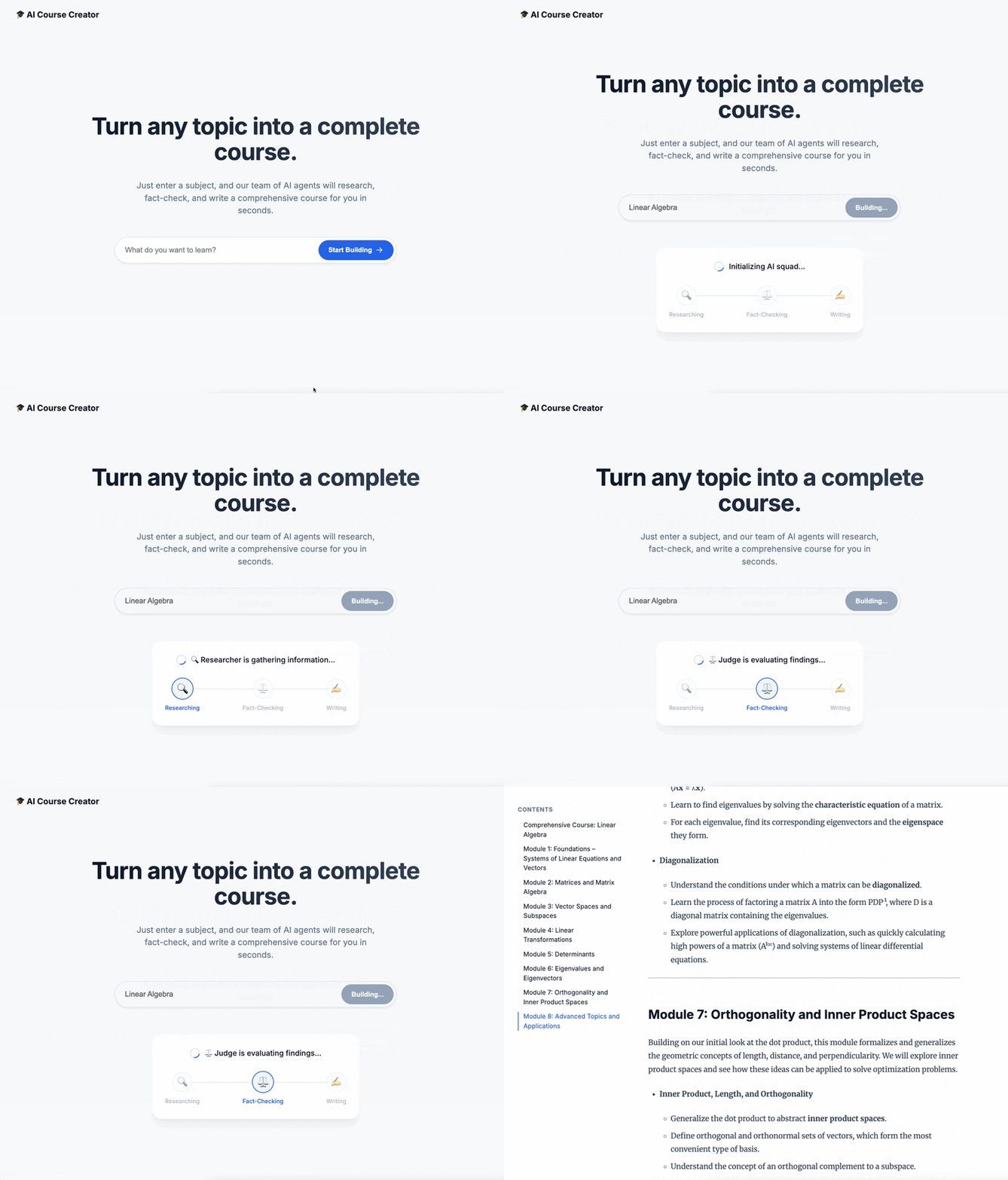
Let's build that course creator system. We'll break it down into three distinct specialists:
-
The researcher: A specialist that digs up information.
-
The judge: A QA specialist that ensures quality.
-
The orchestrator: The manager that coordinates the work and talks to your frontend.
Step 1: Hiring the Specialist (The Researcher)
First, we need someone to do the legwork. We'll build a focused agent using ADK whose only job is to use Google Search.
See? Simple. It doesn't know about courses or frontends. It just researches.
Step 2: The Judge (Structured Output)
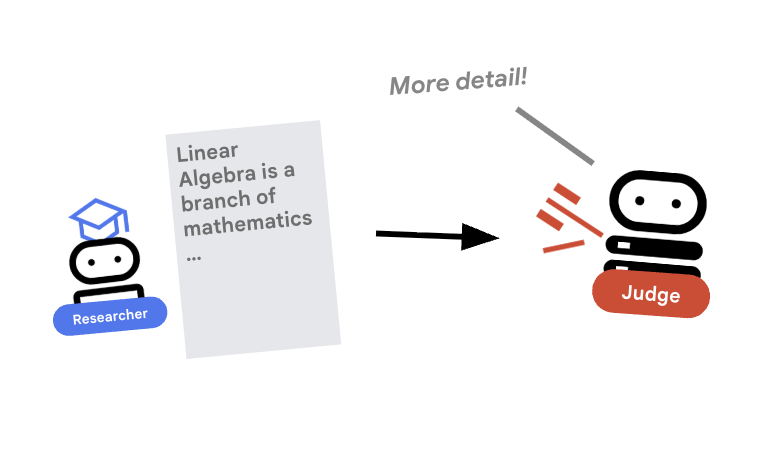
We can't have our agents rambling. We need strict pass or fail grades so our code can make decisions. We use Pydantic to enforce this contract.
Now, when the judge speaks, it speaks JSON. Your application logic can trust it.
Step 3: The Universal Language (A2A Protocol)
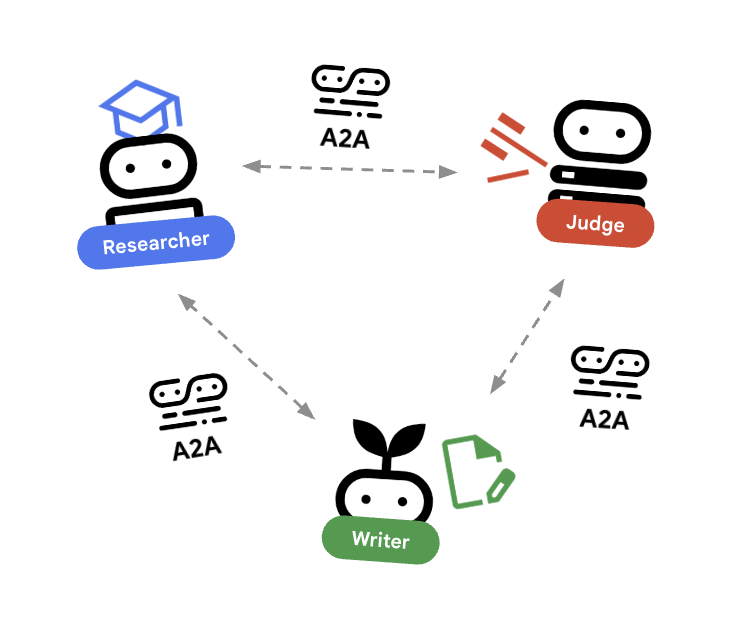
Here's the magic. We wrap these agents as web services using the A2A Protocol. Think of it as a universal language for agents. It lets them describe what they do (agent.json) and talk over standard HTTP.
Now, your researcher is a microservice running on port 8000. It's ready to be called by anyone—including your orchestrator.
Step 4: The Orchestrator Pattern
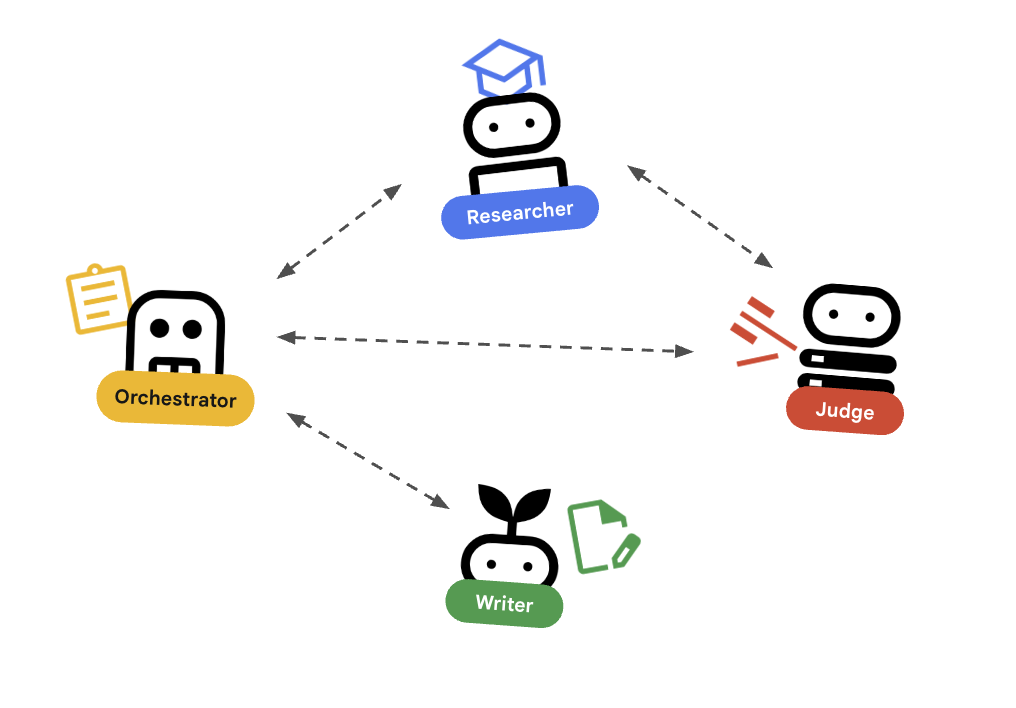
This is where it all comes together. The orchestrator is the general contractor. It doesn't do the research; it hires the researcher. It doesn't make judgments; it asks the judge.
Crucially, this is the only agent your frontend needs to know about.
The orchestrator handles the complexity—retries, loops, state management—so your frontend stays clean and simple.
Deployment: The "Grocery Store" Model
Deploying this system on Cloud Run gives you what I call the "grocery store" model. If the checkout lines (researcher tasks) get long, you don't build a new store. You just open more registers. Cloud Run scales your researcher service independently to handle the load, while your judge service stays lean.
Caveats & Security Considerations
Of course, with great power comes great responsibility (and security reviews).
-
Authentication: In this demo, agents talk over open HTTP. In production, you must lock this down. Use mTLS, OIDC, or API keys to ensure that only your orchestrator can talk to your researcher.
-
Latency: Every hop adds time. Use this pattern for coarse-grained tasks (like "research this topic") rather than chatty, low-level interactions.
-
Error handling: Networks fail. Your orchestrator needs to be robust enough to handle timeouts and retries gracefully.
Ready to Build?
Stop trying to build one giant agent that does it all. By using the orchestrator pattern and distributed microservices, you can build AI systems that are scalable, maintainable, and—best of all—play nicely with the apps that you already have.
Want to see the code? Check out the full Course Creator Agent Architecture on GitHub.
And if you're ready to deploy, get started with Cloud Run, ADK, and A2A to bring your agent team to life.